DESIGNING WITH MICROSOFT VISIO PROFESSIONAL 3
DESIGNING WITH MICROSOFT VISIO PROFESSIONAL 3
By William Robert King, R.A. on Feb 19, 2016 12:40:00 PM
Designing with Microsoft VISIO Professional 3:
ARCHITECTURE WORK PC
William Robert King, R.A.
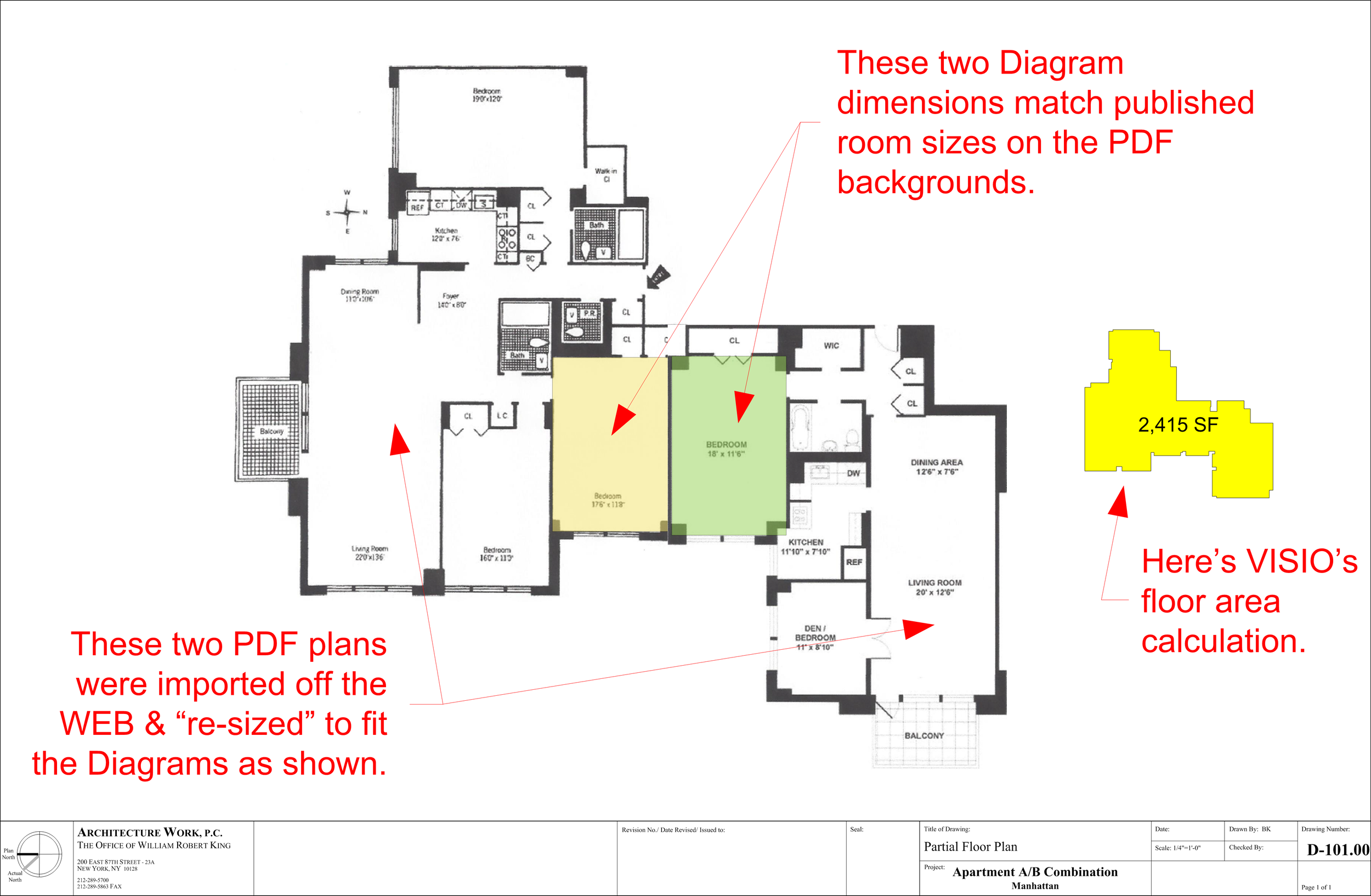
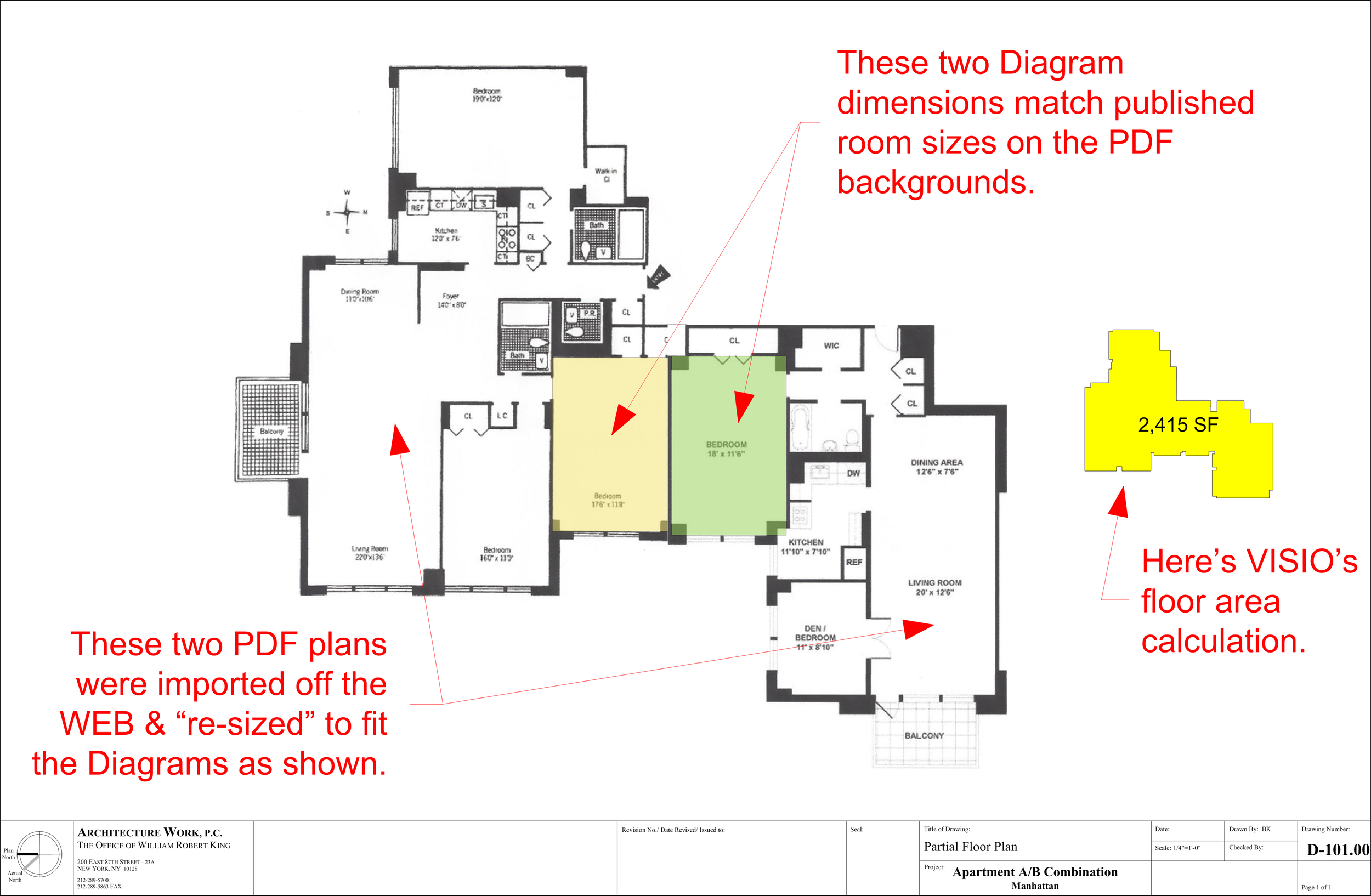
Last blog, I illustrated how I set up a drawing page, imported online sourced floor plans, pasted them onto a Microsoft VISIO drawing page (Arch Size D) and scaled them at . inch equals a foot. I also used Microsoft VISIO tools to create a diagram of the entire combined apartment, which automatically calculated the “net floor area” of the space described from which I was able to estimate a budget & provide a clear and accurate proposal for services. We got the job.
The next step was to confirm the “program” of a living and dining room with four bedrooms and three & a half baths would fit the space. This was easy as we had two existing apartment layouts with which we could all see this would work. Also, we had agreed that we would start with a total “gut” of the newly combined apartment (which had never been done in this Co-op apartment building) as the client did not wish to retain any features of the old plan, finishes, fittings or fixtures.
So, the schematic design began with a “clean slate”. Our client had done much “diligence” before acquiring the two units & had some pencil sketches on paper plans he cut & pasted from the plans again online from his realtor. I first presented a different plan to explore what I felt was a better concept, offered to clean up my client’s pencil sketch as a point of comparison. These two ideas are shown here, again in scaled diagrams on an architectural sized page.
My idea here is where the two little children bedrooms are next to the parents and the nanny at the opposite end (note the inclusion of furniture pre-templated from VISIO’s library of stencils):
Page 2
And here’s my client’s version of placing the parent’s bedroom suite on the opposite end of the apartment from the kid’s & nanny, which I had thought was a bit “harsh” at first:
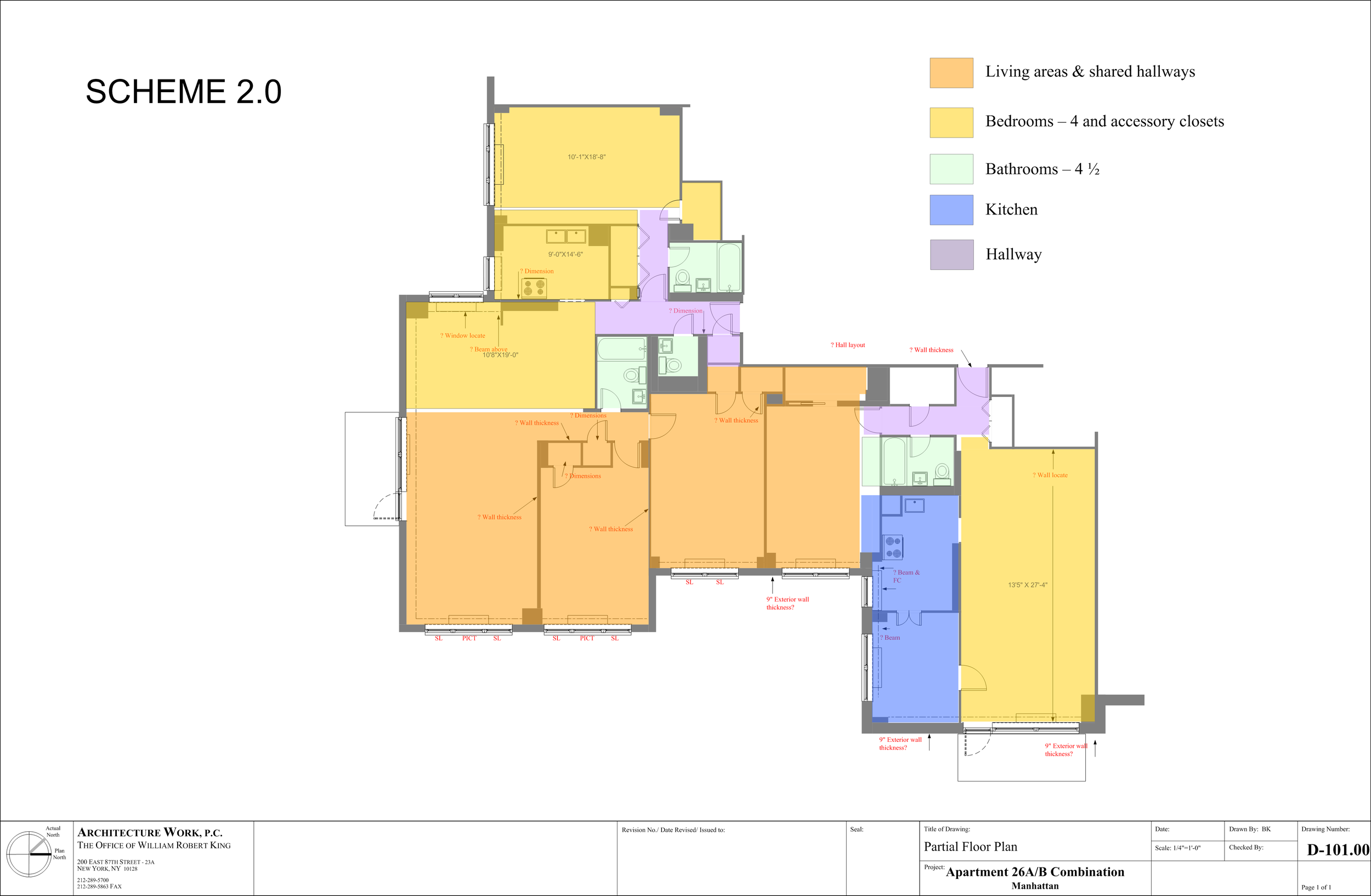
When we reviewed them side by side it was clear my client’s concept was better. The only salvation for me was that I didn’t have to “eat a lot of crow” wasting time & we moved on with Scheme 2.0 in total confidence we had the right ideas.
The Co-op Board, however would not allow either of the two Public Hall entrance doors to be moved & consolidated somewhere in the middle, so we had to work within this limit, which seemed discouraging at first. A few iterations later, we had a working solution:
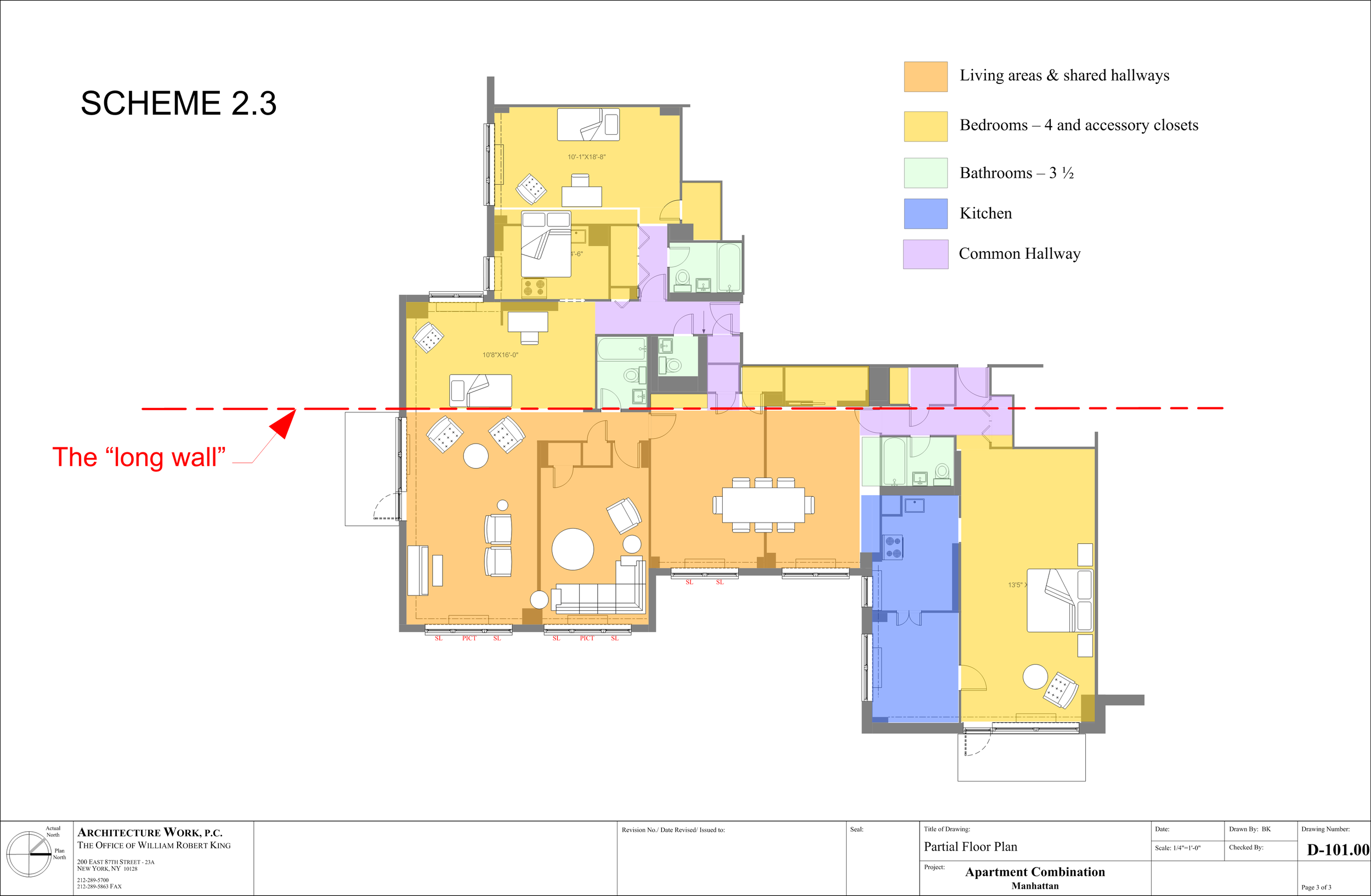
Page 3
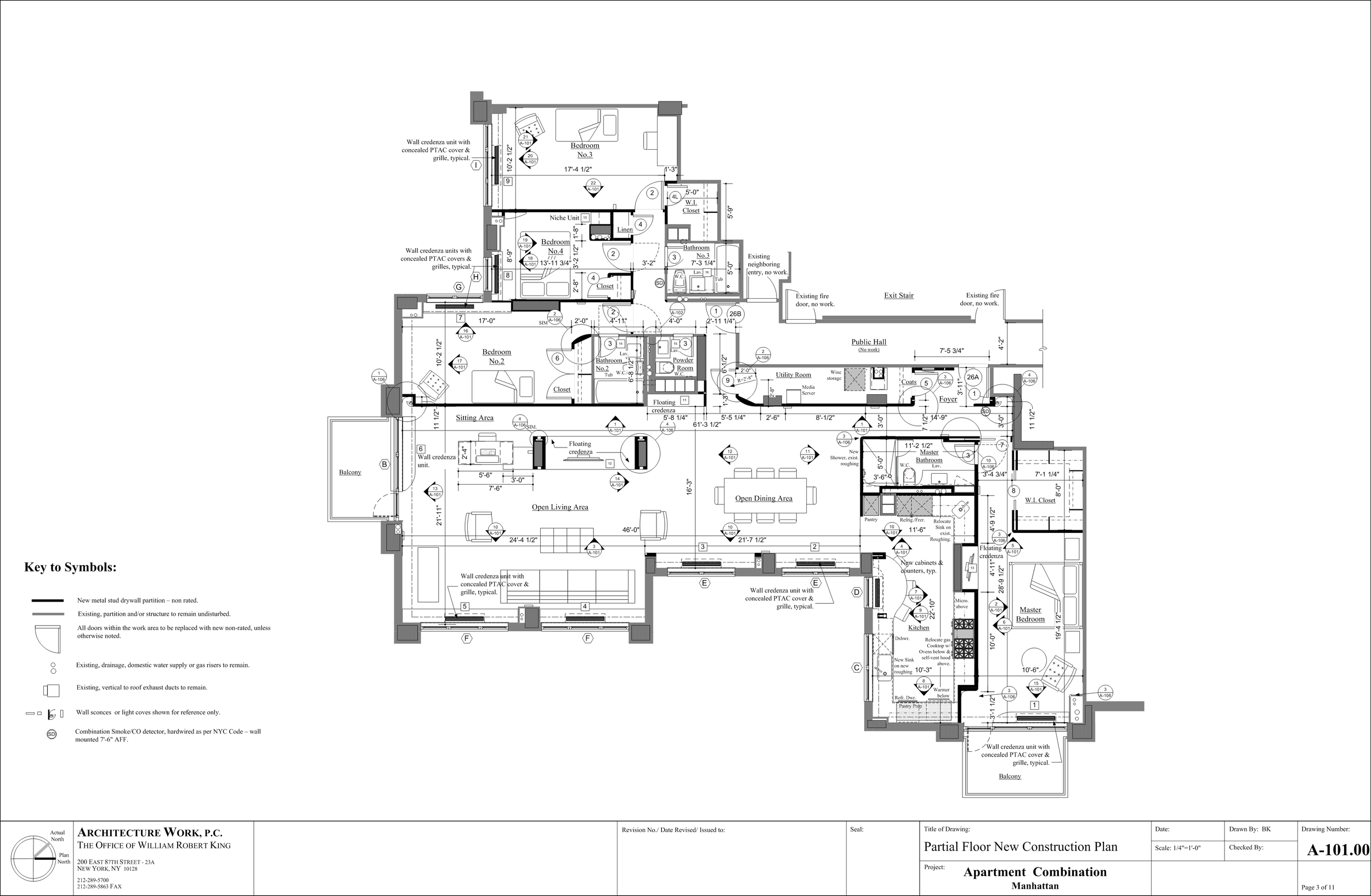
Here’s the final floor plan, now in working drawing format with furniture and much more detail: